
Is Your Dental Practice Actually Prepared for a Disaster? (Most Aren't, and the Math Backs That Up)
Every September, Ready.gov reminds families around the country to change the batteries in their smoke detectors, pack a go-bag, and review their emergency plan. Solid advice, honestly. But here’s what most people miss: Ready.gov doesn’t stop at households. Its Ready Business program has an entire section dedicated to IT disaster recovery, and it reads like it was written for anyone who’s ever had a server die on a Tuesday morning.
The guidance is blunt: back up your critical data, document your recovery plan, and test it regularly — because a backup nobody has verified is just a hope with a file name.
If you run a dental practice, that’s the disaster worth planning for this month. Not the one that involves a flashlight, but the one where patient records disappear and the only emergency kit that actually helps is a backup someone has already tested and confirmed works.
This is National Preparedness Month, so let’s skip the vibes and look at the actual numbers. They’re not flattering.
The Short Answer: Most Practices Aren’t as Ready as They Think
The short answer: most small businesses that lose their data in a serious way don’t come back from it. The Federal Emergency Management Agency (FEMA) estimates that 40% of small businesses affected by a disaster at their primary location never reopen, and another 25% close within a year.
And the confidence gap is worse than the closure rate: a U.S. Chamber of Commerce Foundation survey found that 94% of businesses believe they’d recover from a disaster, but only 26% actually have a plan. Of the businesses that did get hit, a third took six months or longer to get back on their feet.
Having backups isn’t the same as knowing they’d work.
What Actually Counts as a “Disaster” for a Dental Practice?
Forget hurricanes for a second. For a practice running digital charting, imaging, and cloud-based scheduling, the disasters that show up look a lot smaller and a lot more ordinary:
- A server that fails on a random Tuesday
- Ransomware that encrypts every workstation overnight
- A staff member who deletes the wrong folder
- A power surge that corrupts data mid-save
- An internet outage that takes cloud software offline for a day
None of these need a named storm. They need an ordinary morning and a plan nobody actually tested.
Do Your Backups Actually Work When You Need Them?
This is the part most practices skip, and it’s the part that matters most. Having a backup and having a backup that restores successfully are two very different things.
Backup reliability studies have repeatedly found that roughly half of backups fail when businesses try to restore from them — often because of outdated tools, untested processes, or backups quietly corrupted by the same ransomware they were supposed to protect against.
Veeam’s 2025 Ransomware Trends report, a survey of 1,300 organizations, found that among businesses hit by ransomware, only 10% recovered more than 90% of their data, and 57% recovered less than half. And the gap between confidence and reality is stark: in Veeam’s 2026 research, 90% of security leaders said they were confident they could recover quickly from a cyber incident, but among organizations hit by ransomware, only 28% fully restored all of their affected data.
That’s the equivalent of a fire extinguisher that only works some of the time you pull the pin. You don’t find out which category you’re in until the fire has already started.
How Long Can a Practice Actually Survive Without Its Data?
Longer than you’d like to test, and shorter than you’d think.
Among businesses that experienced a disaster, roughly a third took six months or more to fully recover. And when organizations run large-scale recovery tests of their own systems, the results are humbling — in Veeam’s 2024 research, fewer than three out of five servers came back online within expectations.
Most dental practices can’t absorb even a fraction of that: no charting, no imaging, no scheduling, and no way to bill means a practice that’s technically unlocked but functionally closed.
The gap between “we have a backup” and “we’re confident it would work” is where practices get hurt most. Confidence isn’t the same as verification.
Prepared vs. Unprepared: What the Difference Actually Looks Like
Enough vibes. Here’s what separates a practice that bounces back in hours from one that doesn’t reopen.
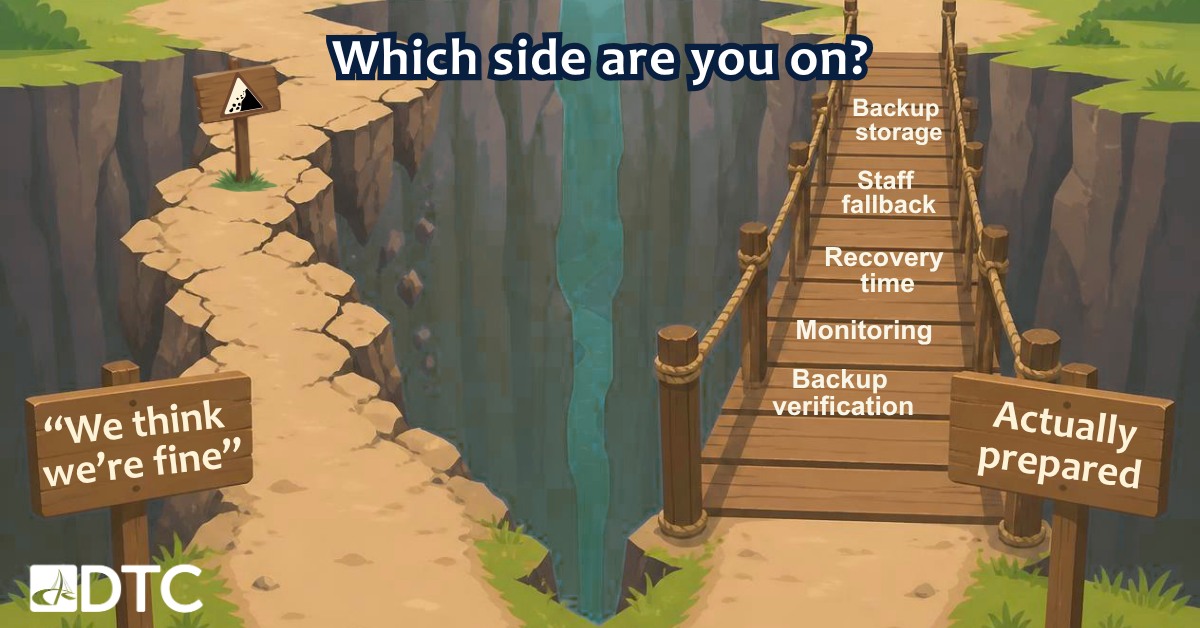
| Factor | ”We Think We’re Fine” | Actually Prepared |
|---|---|---|
| Backup verification | Assumed to work | Tested restore on a regular schedule |
| Recovery time | Unknown until it happens | Documented and tested in advance |
| Backup storage | Same network as primary systems | Off-site or cloud, kept separate |
| Staff fallback | No plan for a few hours down | Documented manual process |
| Monitoring | Reactive, after something breaks | Proactive, catches issues early |
The gap between these two columns isn’t a budget. It’s whether anyone’s actually tested the plan.
What Does a Real Business Continuity Plan Actually Include?
Not a binder written once and never opened again. A working plan covers:
- Backups that are automatic, encrypted, and stored separately from the systems they protect
- A recovery time that’s been tested, not guessed at
- A manual fallback for the front desk and clinical team if systems are down for a few hours
- A communication plan for patients and staff if phones, email, and the network all go down together
- A provider who tests restores on a schedule, not one who just says backups are “handled”
A Quick Self-Check for Practice Owners
Before assuming your practice is covered, run through this:
- Has anyone tested restoring from your backups in the last 90 days?
- Do you know, in hours not vibes, how long a full recovery would take?
- Are your backups stored somewhere a single event can’t wipe them out along with the original?
- Does your team know the manual process if systems are down for half a day?
- Is your IT provider monitoring proactively, or only showing up after something’s already broken?
If any of the above made you think twice, you’re not alone. That’s exactly the gap National Preparedness Month exists to close.
The Practices That Recover Fastest Aren’t the Ones You’d Expect
Every practice believes it’s “probably fine” until the day it isn’t, and that day rarely announces itself in advance. The practices that bounce back quickest aren’t the ones with the newest servers. They’re the ones who treat backup testing and recovery planning as routine, not a one-time setup task.
DTC works with dental practices across the Mid-Atlantic to build exactly that kind of readiness: backups that are actually verified and a team that’s already thought through the “what if” before it becomes a Tuesday.
Frequently Asked Questions
What is a business continuity plan for a dental practice?
A documented plan for keeping a practice operating — or getting back online quickly — after a disruption like a server failure, ransomware attack, or extended outage. It covers verified backups, a tested recovery timeline, staff fallback procedures, and how the practice communicates with patients if systems go down.
How often should backups actually be tested?
At minimum, quarterly — and ideally on a regular automated schedule. A backup that’s never been restored is not a safeguard. Backup reliability research consistently finds that a large share of untested backups fails when practices need them.
What happens if a dental practice loses its patient data?
It depends heavily on how long the outage lasts and whether backups actually restore. Among businesses hit by a disaster, roughly a third took six months or more to recover. For dental practices, that means no charting, imaging, scheduling, or billing until systems are back.
Does cloud backup protect against ransomware?
Cloud backup helps, but only if it’s configured correctly. Many ransomware strains specifically target connected backup systems. The safest approach combines off-site or cloud backups with version history and isolation from the primary network, so an attack on one system can’t also encrypt the backup.
What’s the difference between a backup and a disaster recovery plan?
A backup is a copy of your data. A disaster recovery plan is the tested process for getting your practice back online using that data — including how long it takes, who does what, and what staff do in the meantime. Practices with the first but not the second often discover their backup works in theory and not in practice.
Sources
- Small business disaster survival rates (40% never reopen; 25% close within one year): FEMA estimates, as cited by the Milken Institute and the Congressional Research Service, “Federal Disaster Assistance for Businesses: Summaries and Policy Options” (R47631) — https://www.congress.gov/crs-product/R47631
- Disaster preparedness confidence gap (94% believe they’d recover; 26% have a plan; 34% took six months or more to recover): U.S. Chamber of Commerce Foundation business continuity survey, as compiled by Invenio IT — https://invenioit.com/continuity/business-continuity-statistics/
- Ransomware recovery outcomes (only 10% recovered more than 90% of data; 57% recovered less than half): Veeam 2025 Ransomware Trends and Proactive Strategies Report (survey of 1,300 organizations) — https://www.veeam.com/company/press-release/veeam-report-finds-close-to-70-percent-of-organizations-still-under-cyber-attack-despite-improved-defenses.html
- Recovery testing results (fewer than 3 in 5 servers recoverable within expectations): Veeam Data Protection Trends Report 2024 — https://www.businesswire.com/news/home/20240117435042/en/Veeam-Data-Protection-Trends-Report-2024-Finds-Cyber-Attacks-the-1-Cause-of-Business-Outages
- Recovery confidence vs. reality (90% confident in recovery; 28% fully restored data after ransomware): Veeam Data Trust and Resilience Report 2026 — https://www.businesswire.com/news/home/20260414724439/en/Veeam-Report-Reveals-a-Market-Wide-Shift-From-Recovery-Confidence-to-Proven-Data-Resilience-Amid-Ransomware-Threats-and-AI-Adoption
- IT disaster recovery and backup testing guidance: Ready.gov, “IT Disaster Recovery Plan” — https://www.ready.gov/business/emergency-plans/recovery-plan
- National Preparedness Month background: Ready.gov / FEMA — https://www.ready.gov/september